1. 安装 acme.sh
服务器终端输入一下命令
curl https://get.acme.sh | sh -s email=my@example.com参考 acme.sh 官方文档,可创建一个 alias,方便使用
alias acme.sh=~/.acme.sh/acme.sh2. 生成证书
获取 cloudflare API key
地址:https://dash.cloudflare.com/profile/api-tokens
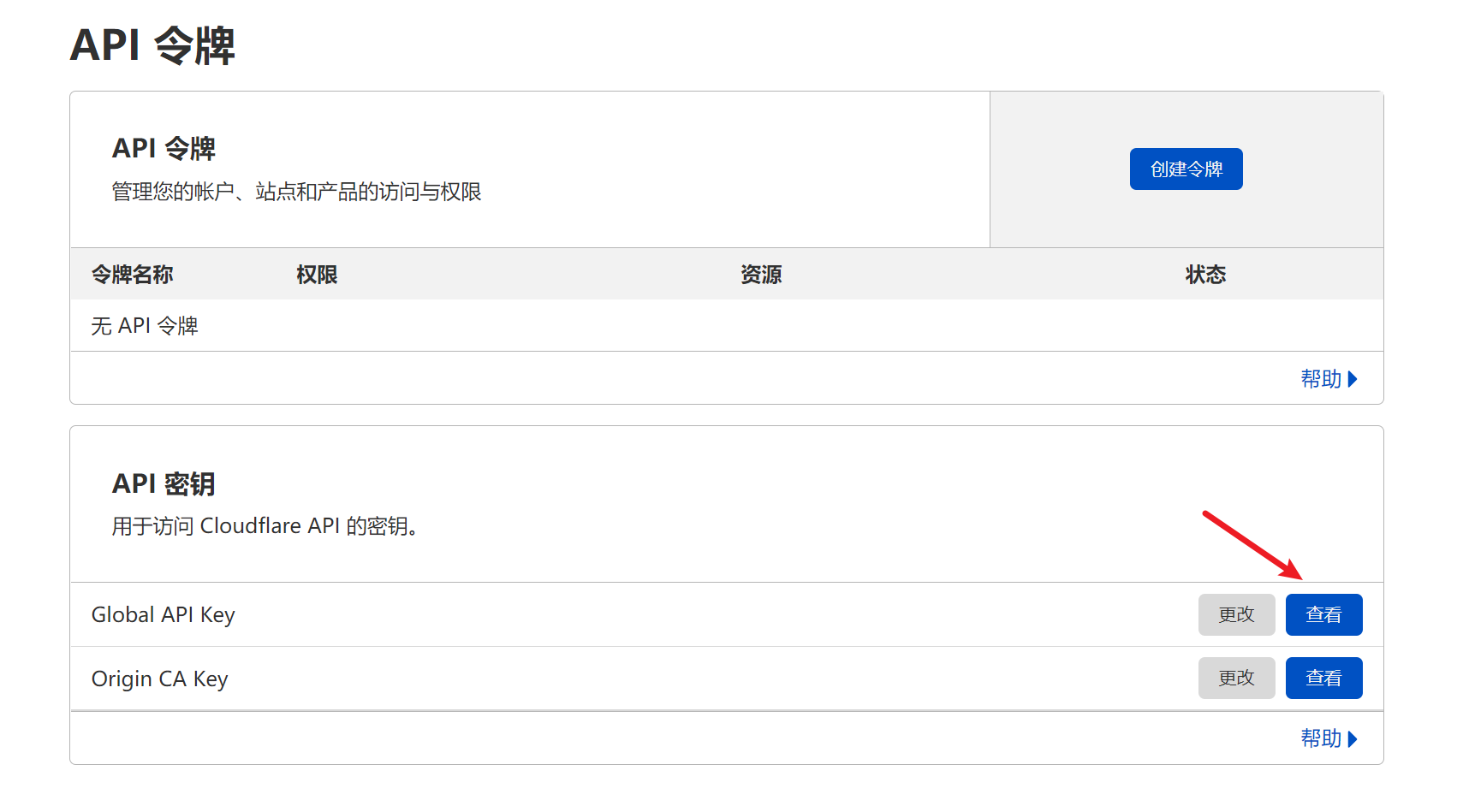
设置 cloudflare API key
服务器终端输入一下命令
export CF_Key="cloudflare 中查看你的 key"
export CF_Email="你的 cloudflare 邮箱"
生成和安装证书
服务器终端输入一下命令
acme.sh --issue -d "yourdomain.com" -d "*.yourdomain.com" --dns dns_cf \
--key-file       /home/ubuntu/ssl/yourdomain.key  \
--fullchain-file /home/ubuntu/ssl/yourdomain.pem \
--reloadcmd "docker restart nginx"- 将
yourdomain.com替换为自己的域名,* 表示泛域名证书,也一并修改 - key file 和 fullchain file 目录可以按照实际需求更改
- reloadcmd 表示证书部署后需要执行的命令,按照实际情况修改,我这边是 docker 部署的 Nginx,直接重启了对应的 docker 容器
- 脚本会去 cloudflare 设置一条验证的解析记录,默认等待 900 秒,cloudflare 生效很快,不用修改,如果慢的话,可设置
--dnssleep 1600参数,数字为等待时间,单位为秒
3. 最后
经过以上几步后,acme.sh 会在证书到期前自动更新
移除域名证书自动更新
acme.sh --remove -d yourdomain.com -d "*.yourdomain.com"